
Crypto Apps Compared for Germany (2026): Features, Demo Mode and Security — What to Check Before You Download

 Prefer us on Google



"Best crypto app" is a search for a tool, not a trophy — the right app is the one that does what you need and keeps your account safe. So instead of ranking apps, this page lists the features that actually matter, shows how to judge an app's security, and is honest about the part most download guides skip: app-store availability differs by country, and a crypto app is a prime target for fakes, so where you download it matters. We describe WEEX's app capabilities factually below. One thing we state plainly: WEEX is not authorized under the EU's MiCA regime and is not on Germany's BaFin register. This is general information, not financial advice, and trading crypto — especially with leverage — carries real risk of loss.
The features that actually matter
Marketing screenshots blur together; capabilities do not. When you compare apps, check for these concretely, and confirm each in the live app rather than from a review:
- What you can trade — spot only, or spot and perpetual futures? WEEX's app is built around perpetual futures (leveraged contracts) alongside spot, which is a different tool from a buy-and-hold-only app. Match this to how you actually intend to trade.
- A demo / practice mode — the safest way to learn a leveraged product is with simulated funds first. Look for a demo or practice-trading mode; WEEX offers a demo/simulated trading environment (confirm current availability in the app). Treat any practice results as practice, not a forecast of real returns.
- Charting and order types — real candlestick charts, limit and stop orders, and (for futures) stop-loss / take-profit. A serious app exposes these, not just a one-tap "buy."
- Price alerts and portfolio view — push alerts on price moves and a clear position/PnL view help you avoid watching the screen all day.
- Deposits and withdrawals — check which funding methods work in your country and the withdrawal limits tied to your verification level, before you fund the account.
Security — how to judge an app, not just trust it
An app holding your money should make its protections checkable. The things to look for, and to verify:
- Two-factor authentication (2FA) and withdrawal-address controls — turn these on regardless of the app.
- An anti-phishing code — so genuine emails/notifications are distinguishable from fakes.
- Cold storage of assets — WEEX states 95%+ of assets are held in multi-signature cold storage (its own statement, not an independent audit — read it as a stated practice).
- Reserve transparency — WEEX publishes a Proof of Reserves page (weex.com/proof-of-reserves) and a 1,000 BTC Protection Fund with a public address (weex.com/protectfund); read the fund's exclusions, and note that a meaningful share of the reported reserve is WXT, WEEX's own token.
None of these is a guarantee. They are the difference between an app you can check and one you cannot — and every serious app should let you check the same things.
App-store availability — the honest part
This is where most "download the app" pages are misleading. Availability of a crypto trading app on the Apple App Store and Google Play varies by country: an app that appears in one country's store may not appear in another's, and app-store policies for crypto change. When an app is not in your local store, some providers offer a direct download (APK on Android, or an enterprise/web route on iOS) from their official site. That is exactly the moment to be careful: fake crypto apps and lookalike download pages are common, and a wrong download can drain your wallet.
So, two honest rules regardless of which app you choose. First, only download from the official source — the provider's own domain or a store listing you reached from it — never from a link in a message, ad, or search result you are unsure of. Second, on iOS in particular, if an app is not available on your regional App Store, do not assume a "workaround" link is safe; verify it on the provider's official website first. For WEEX, confirm the current download route for your region on the official WEEX site.
For beginners
If you are new, favour an app with a demo/practice mode, clear risk warnings on leverage, and simple 2FA setup — and start with spot or a tiny simulated futures position before risking real money on leverage. "Beginner-friendly" is not about a prettier screen; it is about an app that makes the risky actions hard to do by accident.
Regulatory status — check it yourself
An app is only as accountable as the company behind it. WEEX is not authorized under MiCA and does not appear on Germany's BaFin register. Stated neutrally, that means the EU/domestic protections that come with authorization are not assured — a factual trade-off, not a verdict. Check any provider — WEEX and every alternative — yourself on BaFin's register (bafin.de) and ESMA's MiCA register before you trust an app with your funds.
Risk disclosure
Crypto assets are volatile and can lose value quickly; you can lose money. WEEX's app offers leveraged (futures) products, and leverage magnifies losses as well as gains — a position can be liquidated, and you can lose more than a spot holding. A demo mode's results do not predict real trading. Nothing here is a promise of profit or safety; trade only what you can afford to lose, and remember that using an unregistered offshore venue places you outside the EU's domestic customer-protection framework.
How to verify everything on this page
- App features and download route — the official WEEX site and the app itself (in your region); confirm the demo mode, order types, and funding methods live.
- Security and reserves — WEEX's Proof of Reserves (weex.com/proof-of-reserves) and Protection Fund (weex.com/protectfund) pages.
- Regulatory status — BaFin's register (bafin.de) and ESMA's MiCA register.
Primary sources
- WEEX — official app/download page (per-region availability), Proof of Reserves (weex.com/proof-of-reserves), Protection Fund (weex.com/protectfund), and the in-app feature set (demo mode, order types) to confirm live.
- Apple App Store / Google Play — regional listing availability for any crypto app.
- BaFin register (bafin.de) and ESMA MiCA register — authorization status of the provider.
This page is general information to help you compare crypto apps on features and safety; it is not financial, legal, or tax advice, and it is not a recommendation of any app. WEEX is not authorized under MiCA and is not on the BaFin register. Download only from official sources, verify claims on the pages named above, and consider your own circumstances before trading.
Disclaimer: This content is provided for general branding and informational purposes only and doesn't constitute financial, investment, legal, or tax advice. Any events, rewards, online events, or related information mentioned herein should not be considered a recommendation, solicitation, or invitation to purchase, sell, trade, or otherwise deal in any crypto assets or to use any services. Crypto assets are highly volatile and may result in loss. WEEX services and online events may not be available in all regions and are subject to applicable laws, regulations, and eligibility requirements. You are responsible for ensuring that your use of WEEX services complies with local laws and for carefully assessing the risks before participating in any crypto-related activities.
You may also like
How to Import Your WEEX Trade History into Cryptact (for Japan Crypto Tax Filing)
Best Crypto Apps and How to Choose One (2026)
How to Get Started with Crypto: From Account to First Purchase (2026)
How to Buy Bitcoin (BTC): A Beginner's Step-by-Step Guide (2026)
How to Buy Crypto in Indonesia for Beginners (2026): Register, Deposit, and Buy Bitcoin
Best Crypto Trading App & APK in Indonesia (2026): Features, How to Download Safely, and What to Check
Crypto Exchange Comparison for Germany (2026): Fees, Products, and How to Choose
Crypto Platform Comparison for France (2026): Fees, Products, and How to Choose
Crypto Apps Compared for France (2026): Features, Demo Mode and Security — What to Check Before You Download
NVIDIA (NVDA) Earnings Date: When Q2 FY2027 Reports and What to Watch
Is WEEX Safe? A Facts-First Look at WEEX's Reserves, Security, and Regulatory Status in Japan
When an Overseas Exchange Ends Its Japan Service: The Typical Sequence and What Users Should Check
Bybit Japan Service Termination: The Complete Timeline and What Happens on July 22, 2026
How to Withdraw From Bybit After the Japan Service Shutdown: Step-by-Step and a Deadline Checklist
The Tax Consequences of a Forced Liquidation for Japanese Crypto Traders
After Bybit's Japan Shutdown: A Neutral Map of Where Your Funds Can Go
Gold Price Outlook 2026: Third-Party Analyst Scenarios (Maintained, Educational)
Silver Price Outlook 2026: Third-Party Analyst Scenarios (Maintained, Educational)
How to Buy Bitcoin in Brazil: A Step by Step Guide for Beginners
Dolar Crypto in Argentina: How to Use Stablecoins for Dollar Exposure and Buy Bitcoin
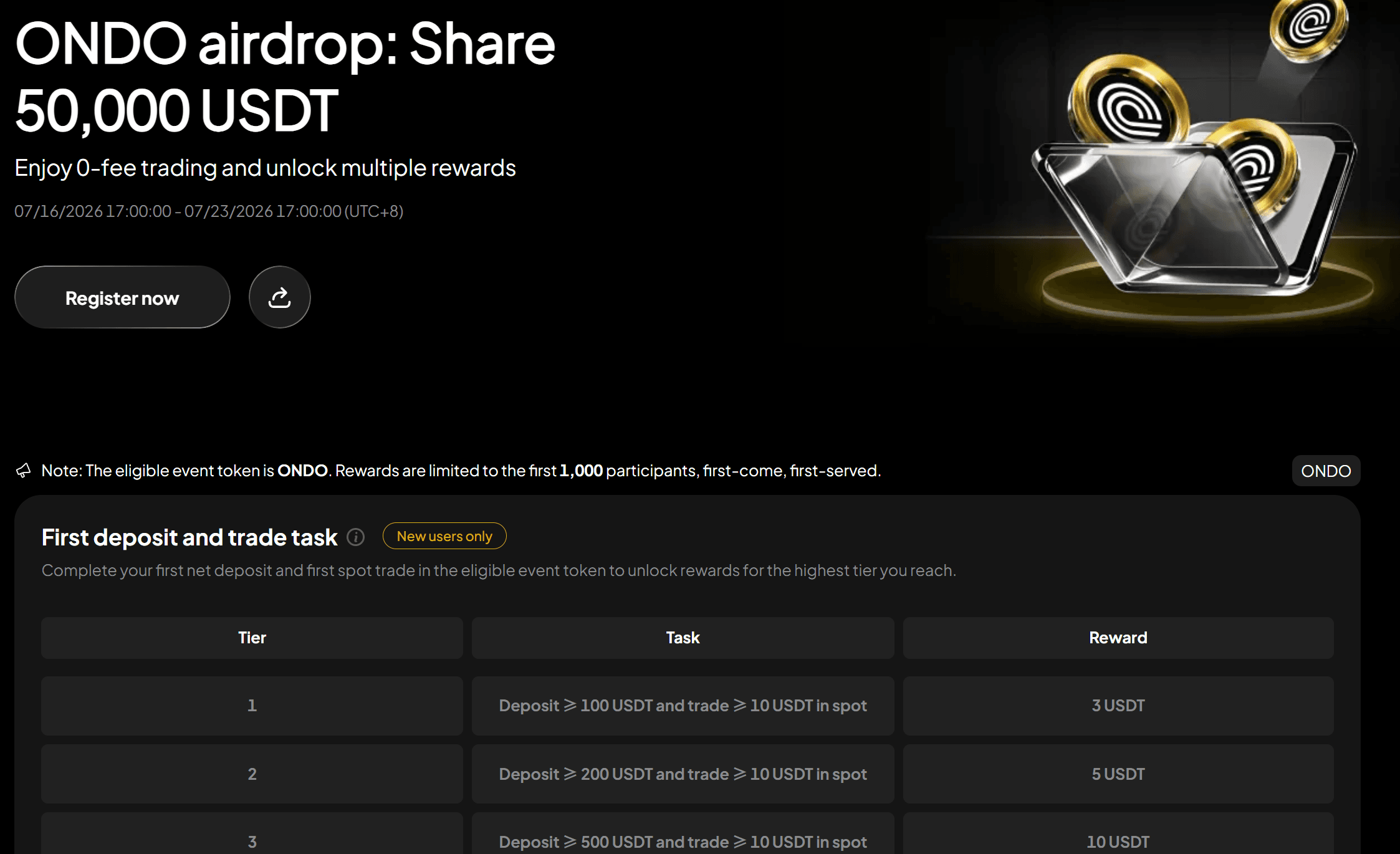
Claim ONDO Airdrop Rewards: Complete Tasks and Share 50,000 USDT
Claim ONDO Airdrop rewards on WEEX and share 50,000 USDT. Learn how to join, complete trading tasks, earn bonuses, and trade ONDO/USDT during the event.
Japan's Crypto Regulation Basics: The FSA, JVCEA, and User Protections
How Overseas Crypto Exchanges Work for Japan Residents (and the Risks)
Modelo 721 Explained: Declaring Foreign Crypto Holdings in Spain
DEX vs CEX for Perpetuals: Trading Perps On-Chain vs on an Exchange
What Is an On-Chain Order Book? How Order-Book DEXs Work
What Is a Perp DEX? Perpetual Futures on Decentralized Exchanges
Italy Crypto Tax 2026: The Capital Gains Rate Rises to 33%
Support and Resistance: How to Identify Key Levels on the Chart
Supply and Demand Zones: A Smart-Money Trading Guide
How to Import Your WEEX Trade History into Cryptact (for Japan Crypto Tax Filing)
Best Crypto Apps and How to Choose One (2026)
How to Get Started with Crypto: From Account to First Purchase (2026)
How to Buy Bitcoin (BTC): A Beginner's Step-by-Step Guide (2026)
How to Buy Crypto in Indonesia for Beginners (2026): Register, Deposit, and Buy Bitcoin
Best Crypto Trading App & APK in Indonesia (2026): Features, How to Download Safely, and What to Check
Contents
Latest articles




Latest coin listings on WEEX


